Scan premarket, market and after hours.
Trade your rules.
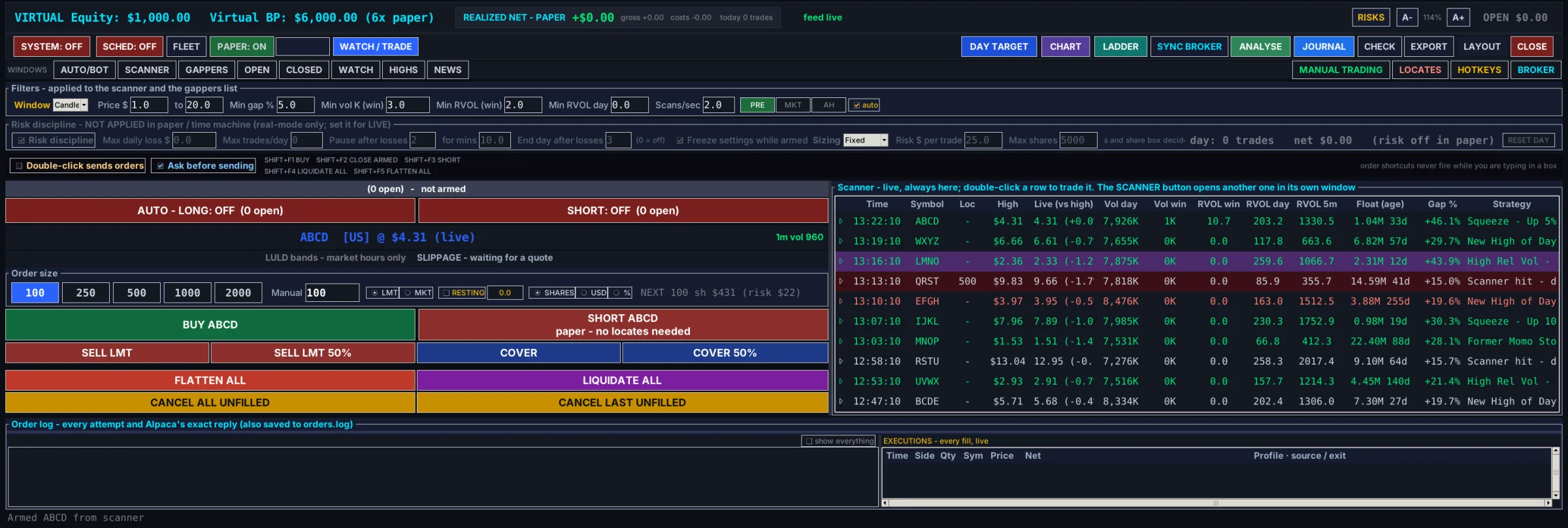
AutoScanTrade is a trading desk for Windows. Its scanner finds the small caps that are moving before the open, through the day and after the close. You trade them from one panel with hotkeys, and the full desk can also take entries for you on rules you set.
What the desk does
It is built for small caps that move fast, from four in the morning New York time until eight at night. Every part has a page in the user guide and a short video.
A scanner for every session
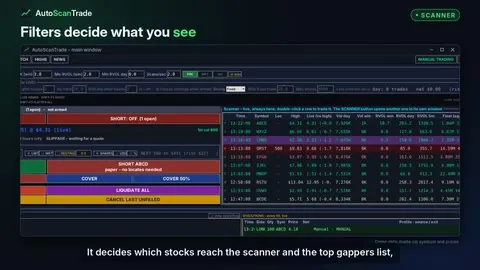
Filters for price, gap, volume and relative volume, with their own set for premarket, market hours and after hours. Alerts land on one board, with halts, float with its age, and news and SEC filings beside them.
How the scanner worksOne panel and two-key hotkeys
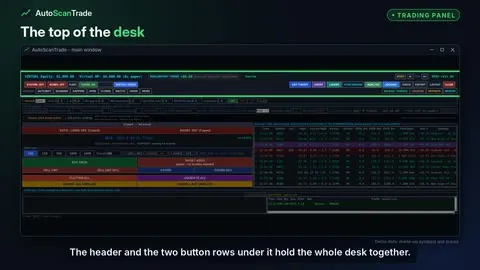
Pick a size, choose limit or market, and buy, short, sell, cover, flatten or cancel from one panel or from keys you set. The locates window for short selling is one click away.
BUY and SHORTA ladder and a live chart
Every trade sits on a price rail with its entry, stop, target and trail, and you drag a level to move it. The chart draws the same levels, with indicators and buy and sell arrows.
The trade ladderExits the software watches
Take profit, stop loss, trailing stops, a step lock, a volume-fade exit and a hard stop, checked on every price. The risk row sets your limits before the session starts, and the full desk adds a day target.
What software stops meanAutomation on your rules
In the full desk, entry rules, gates and chart-signal entries take trades for you once you arm a side. Up to twenty profiles can run side by side in paper to compare settings.
How the automation decidesA record of everything
Every order and every broker reply goes into the order log, with how long the order took, and every closed trade is journalled with its costs. In the full desk, the journal calendar and ANALYSE show what each profile did.
The journalSee it in two minutes
A walk round the desk: the scanner, the trading panel, the ladder and chart, the exits and the journal, recorded on the real program in paper mode.
There are 73 videos in all, one for each part of the desk, each with a 30-second version for a phone.
Browse the video guide Start here
 Scanner and market lists
 Trading panel and hotkeys
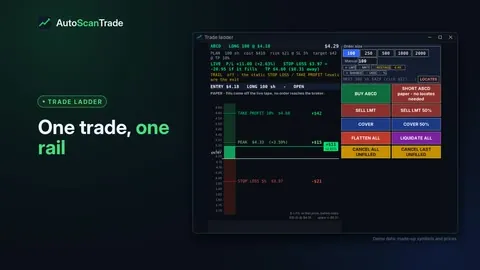 Trade ladder and chart
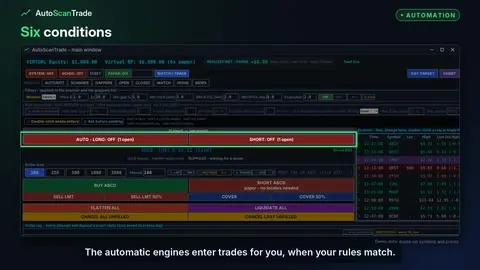 Automation (full desk)
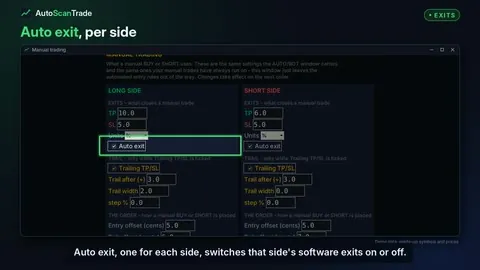 Exits and risk controls
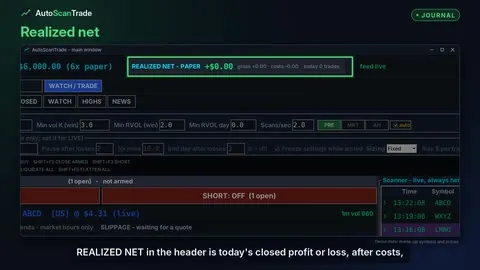 Journal and analysis
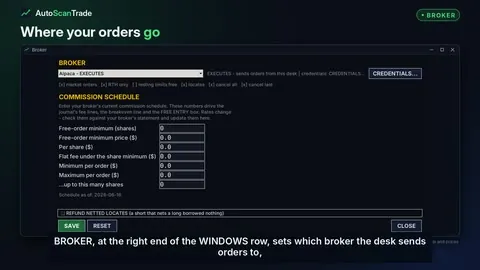 Broker, keys and settings
Also on board
The details that count when a stock is moving.
Two versions, one program
AutoScanTrade Lite is the same desk with the automation taken out. See AutoScanTrade Lite: how to use it, and its own videos.
AutoScanTrade Lite
The scanner, the gappers, the chart and the trade ladder. Manual buying and shorting with stops, targets and trailing exits, hotkeys and locates, and paper mode. You place every trade.
The Lite page and videosAutoScanTrade
Everything in Lite, plus trading without you: the automation window and its entry rules, arming a side, the profile fleet, the paper schedule and the day target, with the journal and ANALYSE to review it all.
The same file either way
Both versions are one program. Lite gets every fix the full desk gets on the day it ships, and moving up later changes nothing on your computer except which features answer.
Questions
Short answers. The user guide has the detail.
What is AutoScanTrade?
A trading desk that runs on Windows. It combines a live stock scanner for premarket, market hours and after hours, a trading panel with hotkeys, a trade ladder and chart, software-managed exits and a trade journal. The full desk can also take entries automatically on rules you set.
Which brokers does it work with?
In the current build the desk sends orders to TradeZero or Alpaca. Other brokers are listed in the BROKER window with their details, but cannot place orders from the desk. See the BROKER window.
Where does the market data come from?
From Alpaca, using your own API key and your own data plan. You choose the SIP or IEX feed when you enter your keys.
Can I try it without a broker account?
Yes. Paper mode trades against live prices with a virtual wallet, and no order reaches a broker. The desk always starts in paper mode.
Are my stop losses held at my broker?
No. Take profit, stop loss and trailing stops are software stops: the program watches the price and sends the exit. Nothing protects a position while the program is closed or the computer is off. If you need a stop that survives that, place it at your broker. More on software stops.
Does it run on a Mac?
No. AutoScanTrade is a Windows desktop application.
What is the difference between Lite and the full desk?
Lite has everything you trade by hand: the scanner, the trading panel and hotkeys, the ladder, the chart, the exits, locates and paper mode. The full desk adds automatic entries, the profile fleet, the paper schedule, the day target, and the journal and ANALYSE windows. AutoScanTrade Lite, with its own videos.
When can I get it?
It is not on sale yet. Email contact@autoscantrade.com and we will let you know when it is.
Launching soon
Email us and we will tell you when AutoScanTrade is available.